Metadata
Metadata comes from three places, from lowest to highest priority:
- The files themselves:
ComicInfo.xmlfor comics, the epub metadata for books. - Metadata providers, for series linked to one.
- Manual edits.
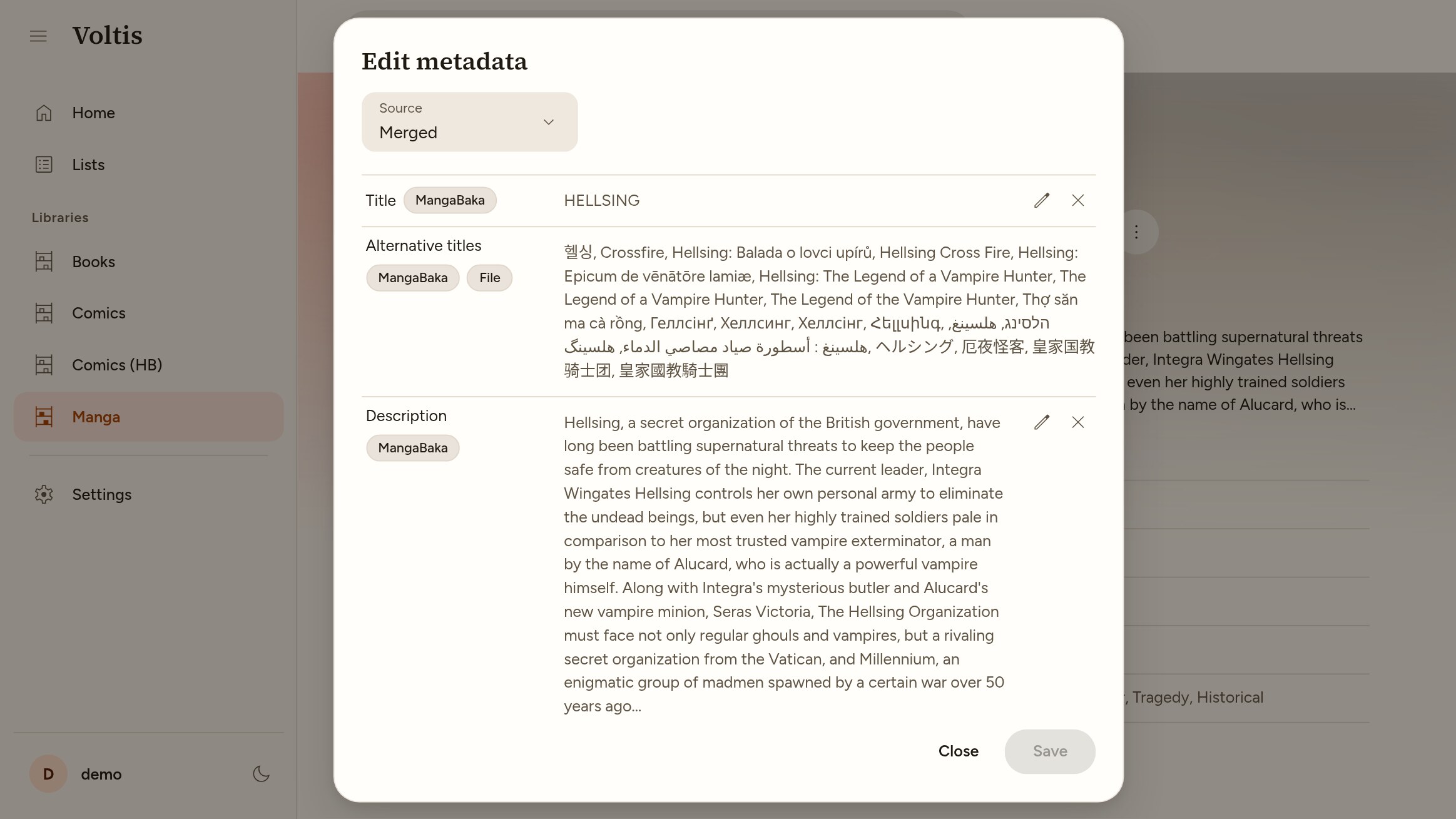
Each field is taken from the highest-priority place that has it. Alternative titles and links are combined from all of them instead, and a title that gets replaced is kept as an alternative title.
Providers
MangaBaka is currently the only provider. It covers manga, manhwa, manhua and OEL comics, and novels. No account or API key is needed.
Only series are linked to a provider. Chapters and volumes keep the metadata from their files.
Linked series are refreshed in the background, weekly for ongoing series and every two months for others.
Automatic matching
Automatic matching is off by default. It is turned on per library with "Match series automatically with MangaBaka", and can be overridden per source (see Libraries).
Series are searched by title. A series is linked when exactly one result fits, meaning it has:
- The same title, or a very close one along with the same year or a shared author.
- No conflicting year or authors, and not fewer volumes than you have for a finished series.
Otherwise, the closest results are kept for review. Series with no results are tried again after 30 days. If MangaBaka can't be reached, it is retried later.
"Pause automatic matching" under Settings → Metadata stops matching. Linked series keep being refreshed.
Reviewing matches
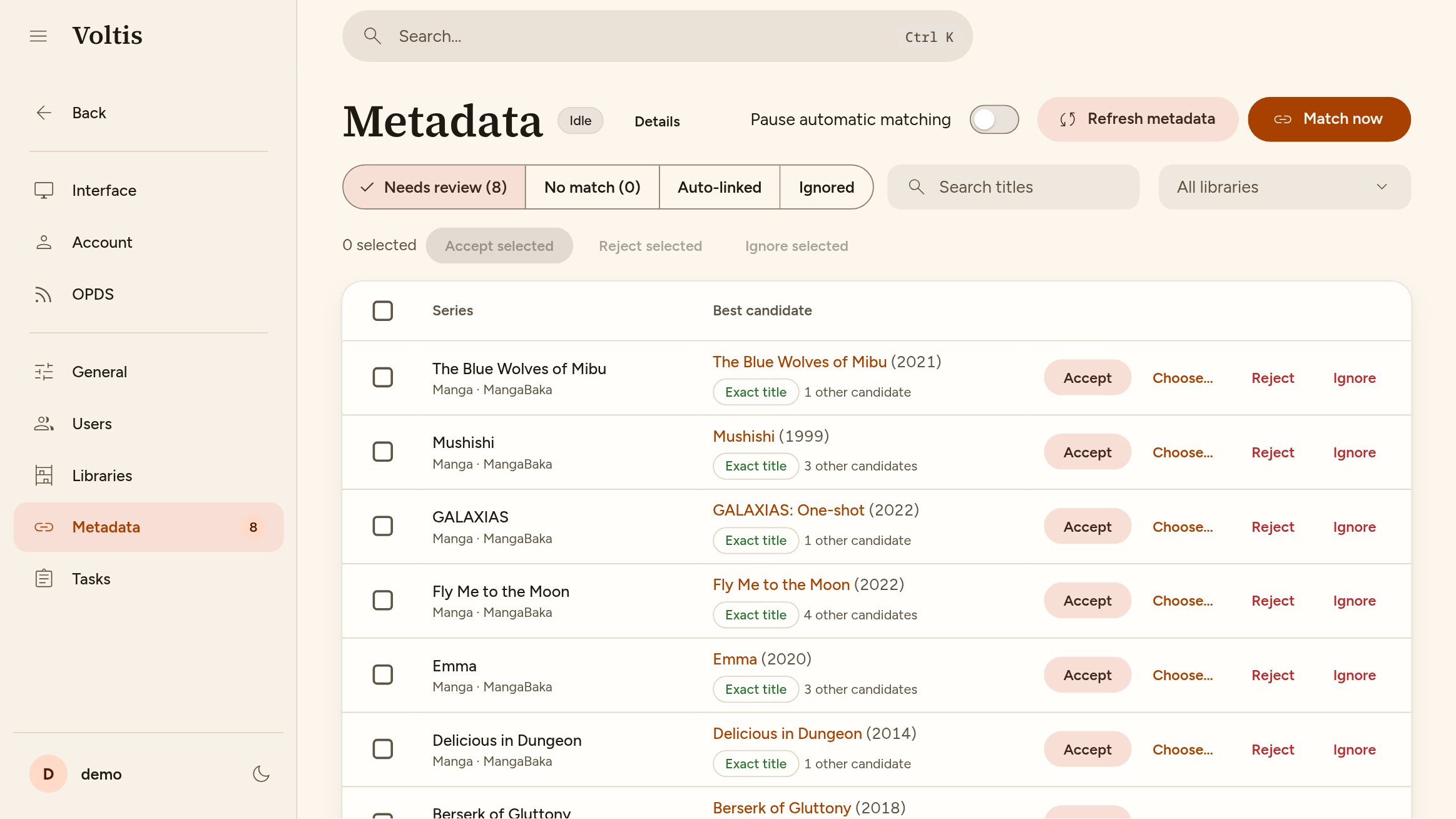
Settings → Metadata lists series by state: Needs review, No match, Auto-linked and Ignored. For each one, you can:
- Accept the top result.
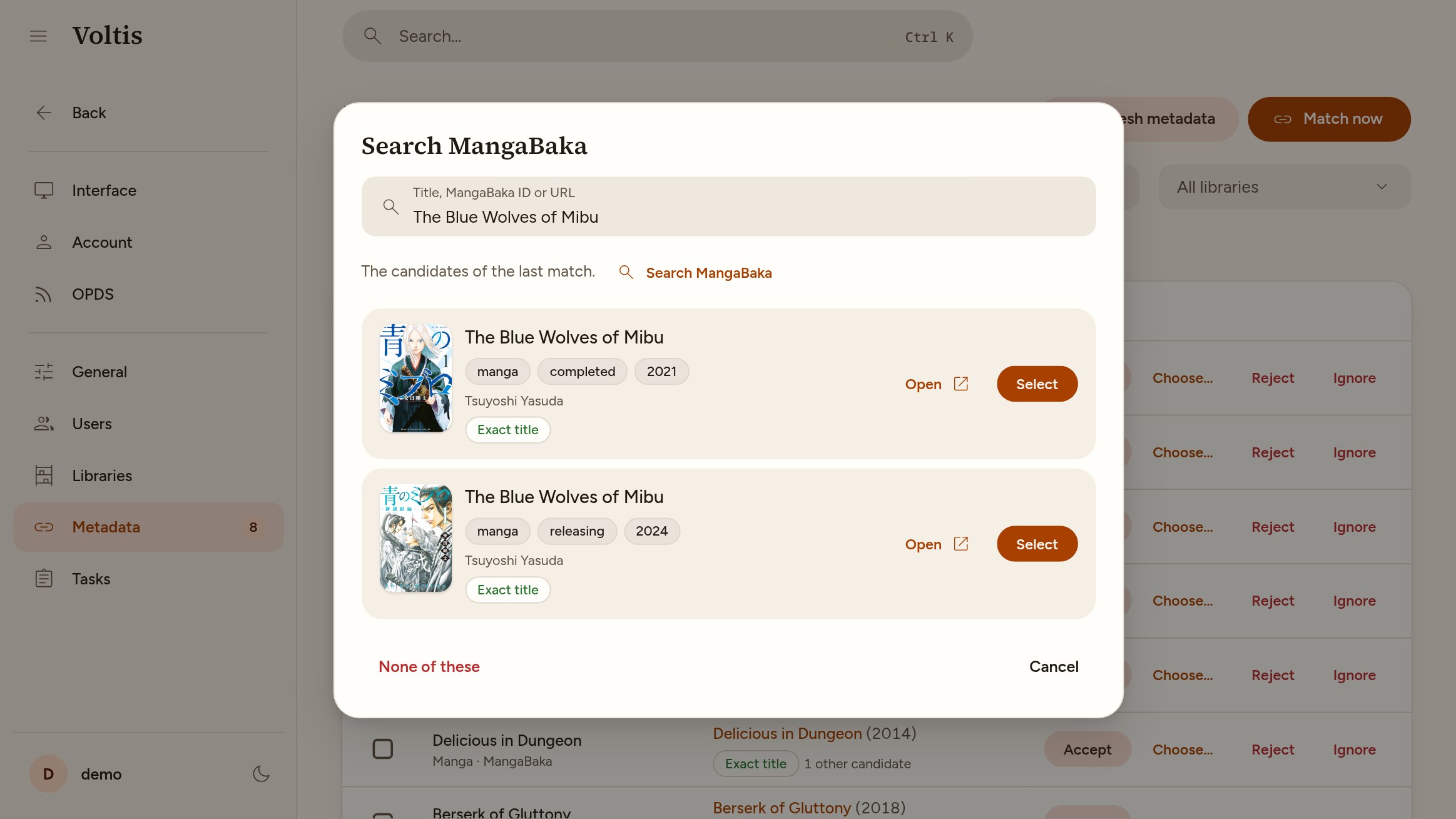
- Choose… another one, searching by title, MangaBaka ID or URL.
- Reject the results. Matching tries again later, leaving them out.
- Ignore the series. It won't be matched again unless you rematch it.
- Rematch it now.
Each decision can be undone from the notification that confirms it.
Editing metadata
Admins can open the editor with "Edit metadata" in the options menu of a series, chapter or book. Edits replace the value from the files and providers, and can be reset to go back to it. Edits are stored in the database: Voltis never modifies your files. The source selector shows what each place provides, including the raw provider response.
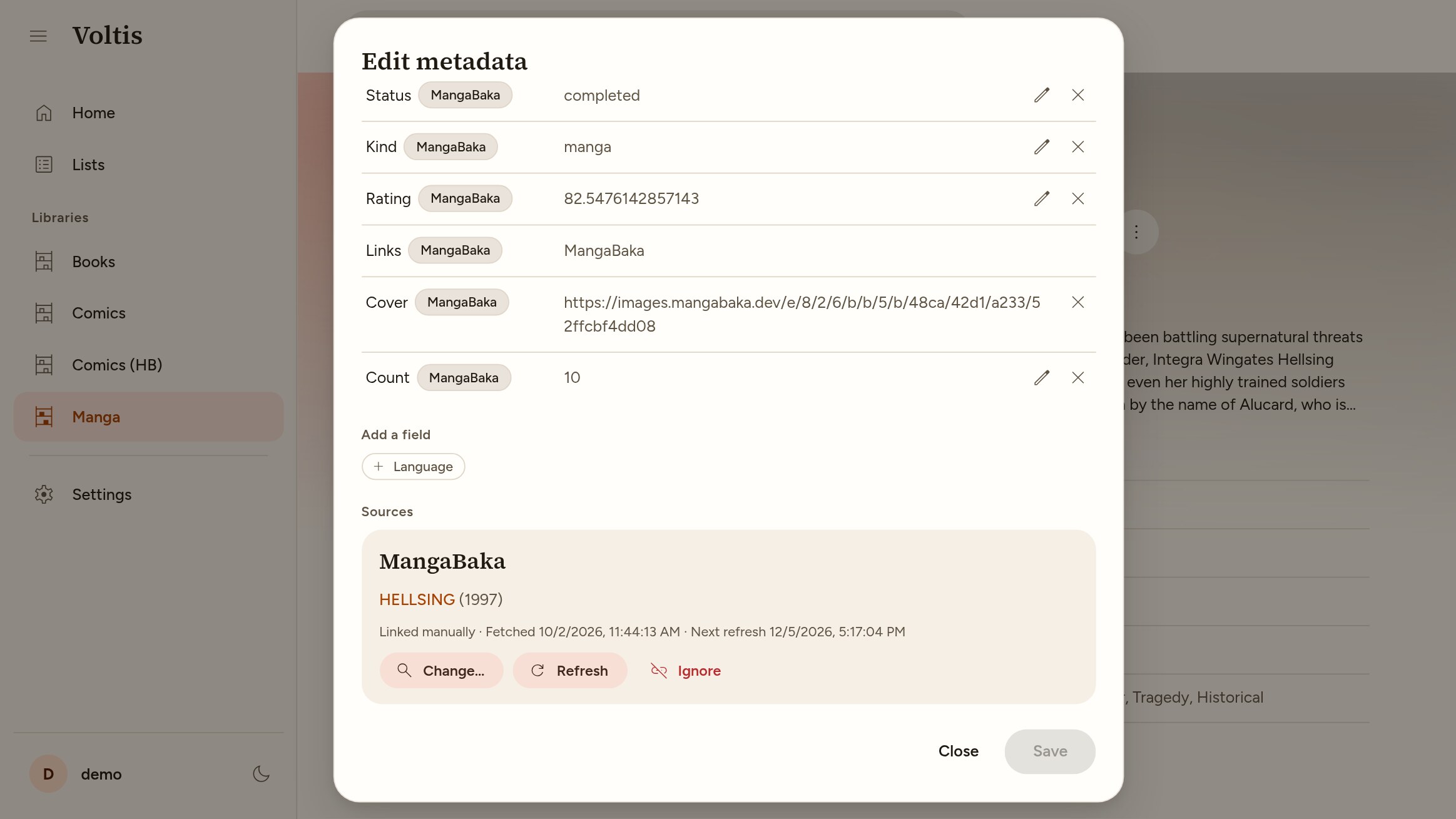
For series, the editor also shows the linked MangaBaka entry. From there you can search for another one, refresh it, or ignore MangaBaka for that series.
Scrobbling
Each user can send their reading progress on linked series to their MangaBaka library. Connect a personal access token under Settings → Scrobbling.
Voltis sends the highest finished chapter, the highest fully finished volume (the series index for books) and the reading status. MangaBaka is never lowered: if it is ahead, the "Scrobbling" entry in a series' options menu shows the difference and can overwrite it.
From the same menu, a series can be put on hold so nothing is sent for it. Scrobbling can be turned off per library, by admins with "Allow scrobbling" in the library settings, and by each user under Settings → Scrobbling.
From the command line
metadata match matches every pending series of a library at once, even when automatic matching is off.