Libraries
A library holds either comics or books. The type is picked when creating the library and can't be changed afterwards. Libraries are managed by admins under Settings → Libraries.
See Comics and Books for how files are expected to be laid out.

Sources
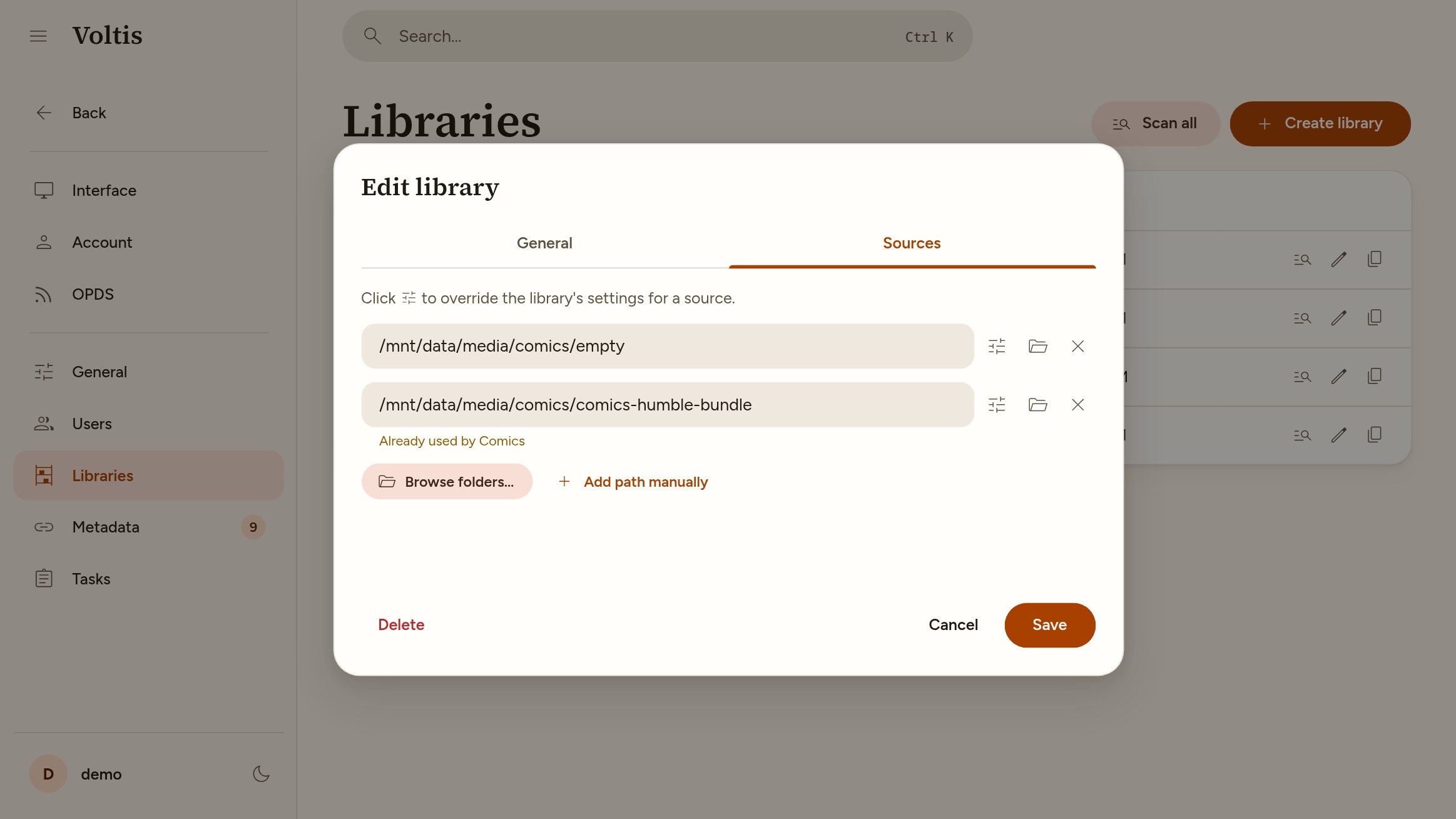
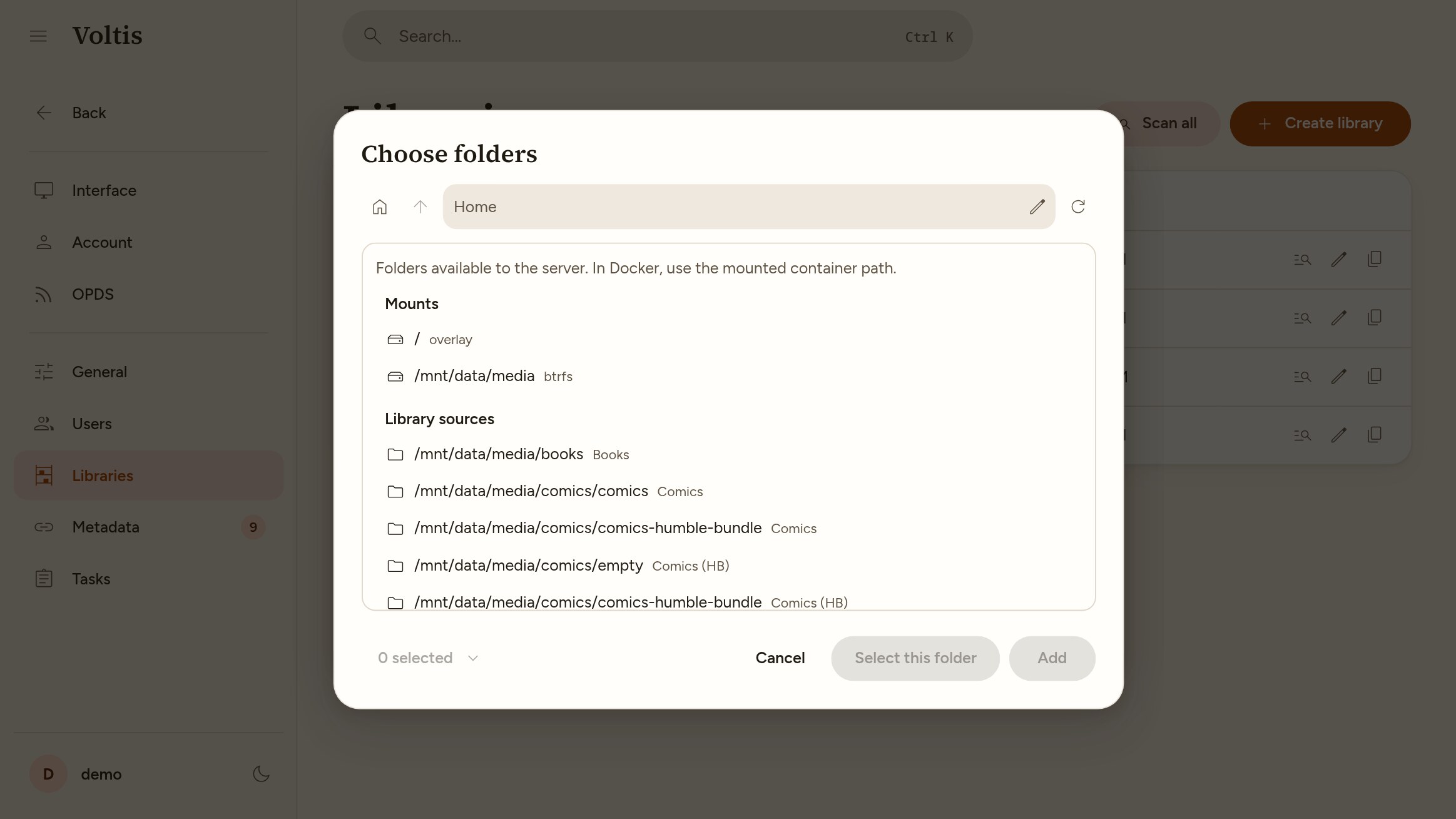
A library reads files from one or more source folders. Paths are the ones inside the container, so with the example compose file that would be /app/library/1. "Browse folders…" lists the folders Voltis can see. A warning is shown when a source overlaps the source of another library.
Scanning
Scans are started by hand from Settings → Libraries. Voltis doesn't watch for file changes or scan on a schedule.
A scan only reads files that are new, or whose size or modification time changed. A forced scan reads every file again, which is needed after changing a setting that affects how files are grouped, like series inference for books.
Files that fail to parse are listed in the scan log and skipped.
Removal guard
When a source folder is empty, or most of it is missing, a scan removes nothing. This keeps a library from being wiped when a drive isn't mounted. More precisely, removals are skipped when:
- A source lists no files at all.
- More than half of a source's items, and at least 50, are missing. A missing file is not counted if a new file with the same size and modification time appeared, as that is likely a move.
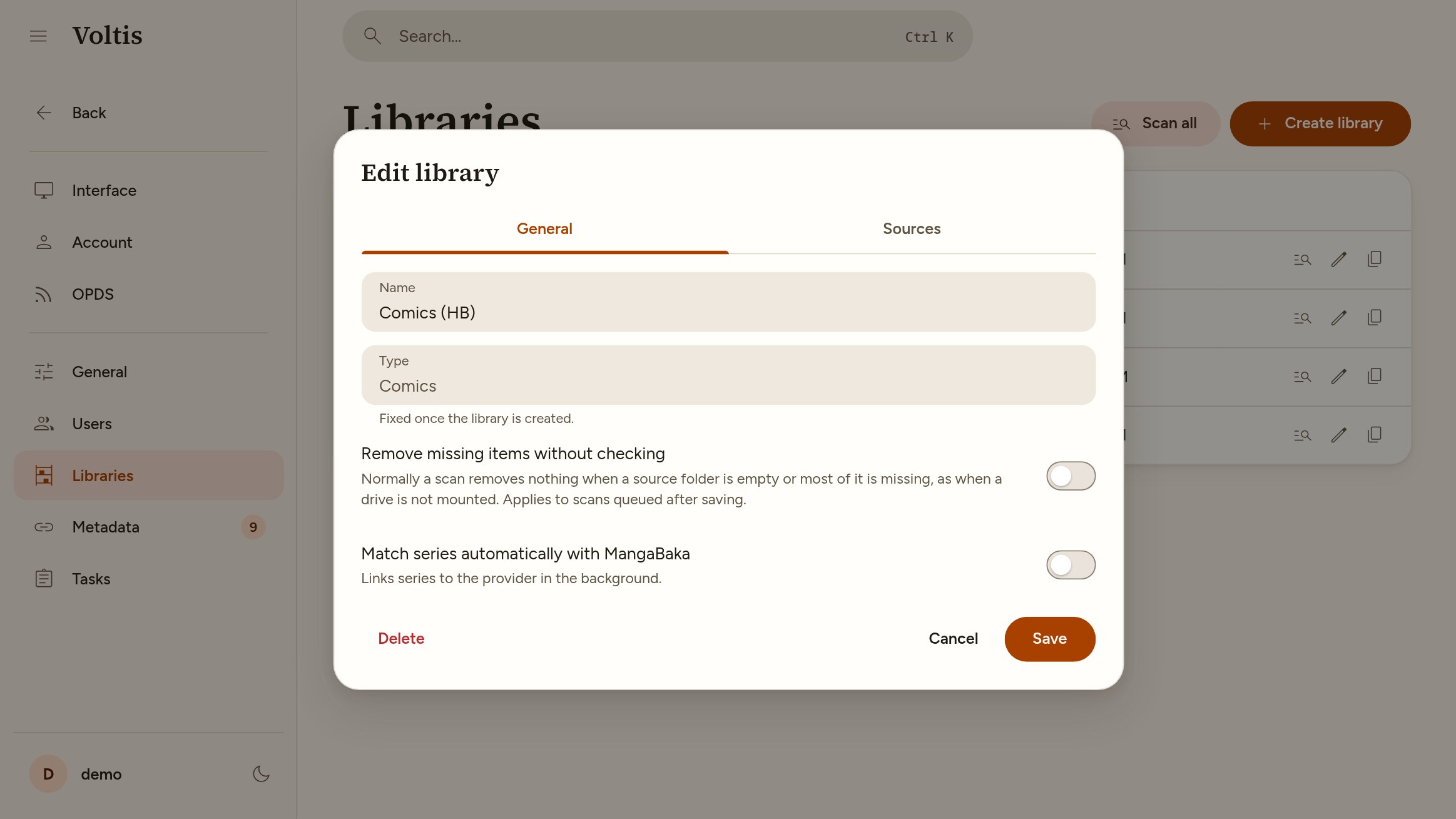
The scan log says when this happens. If the removal is intended, turn on "Remove missing items without checking" in the library settings and scan again.
Settings
- Series without metadata: Books only. Whether books are grouped into a series based on the volume number in their title or file name. See Books.
- Remove missing items without checking: Turns off the removal guard.
- Match series automatically with MangaBaka: See Metadata.
Matching can be turned on or off per source with the settings button next to it. A series is matched if any of its files is in a source where matching is on.